macOS updatesRelease notes
macOS Tahoe 26.7: security update for Macs staying on Tahoe
Short answer
macOS Tahoe 26.7 came out on 14 September 2026, the same day as macOS 27. It has 28 security fixes, 20 of them in WebKit, and no new features. A later 26.7.2 followed. If your Mac is staying on Tahoe, either because it's an Intel Mac or because you're waiting, install the newest 26.7 update and skip macOS 27.
On this page
Who should install it
- Intel Macs. macOS 27 doesn't support them, so Tahoe updates are how they keep getting security fixes.
- Anyone waiting on macOS 27, for example because an important app or menu bar manager isn't ready, or because you rely on Mission Control across several displays. See macOS 27 known issues.
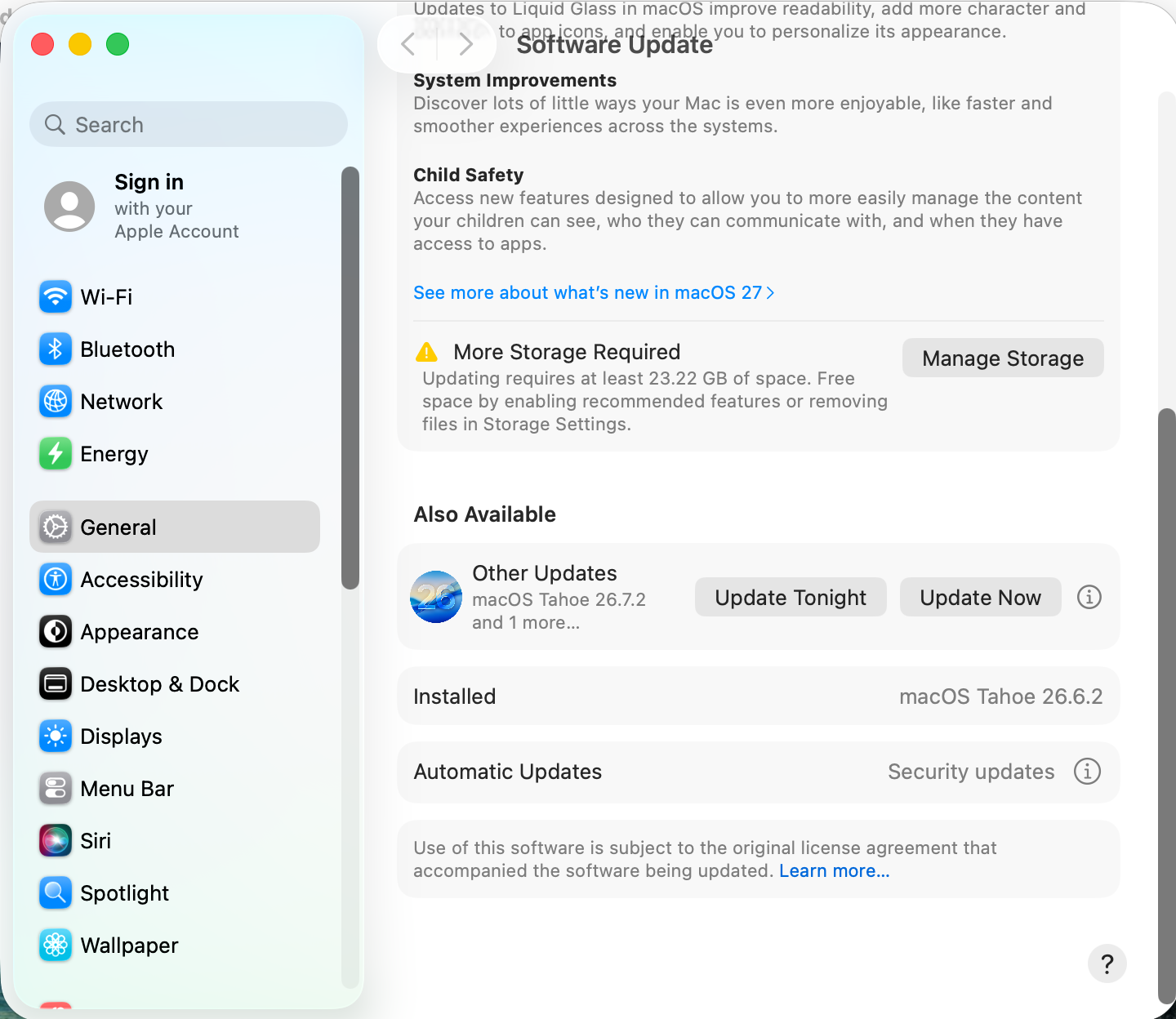
Install the Tahoe update, not macOS 27
- Open System Settings › General › Software Update.
- If macOS 27 is offered at the top, don't click Upgrade Now. Look below it for the macOS Tahoe 26.7 update, under Also Available › Other Updates.
- Click Update Now next to the Tahoe update.
Careful: with Automatic updates set to install macOS updates, the Mac installs point updates on its own, but it won't move you to a new major version without asking.
Still having Tahoe problems?
See common macOS Tahoe problems for Liquid Glass, battery and install fixes.
Sources and further reading
- macOS Tahoe 26.7 update: everything you need to know · Mr. Macintosh
- Apple has released updates to Tahoe 26.6, Sequoia 15.7.8 and Sonoma 14.8.8 · The Eclectic Light Company
Applies toTahoe